HOME
CN
Triton2Go: Simplify. Clarify. Order Smarter.
A redesigned checkout experience for UCSD’s campus food app — making food ordering faster, clearer, and more reliable for students on the go.


Background
Overview
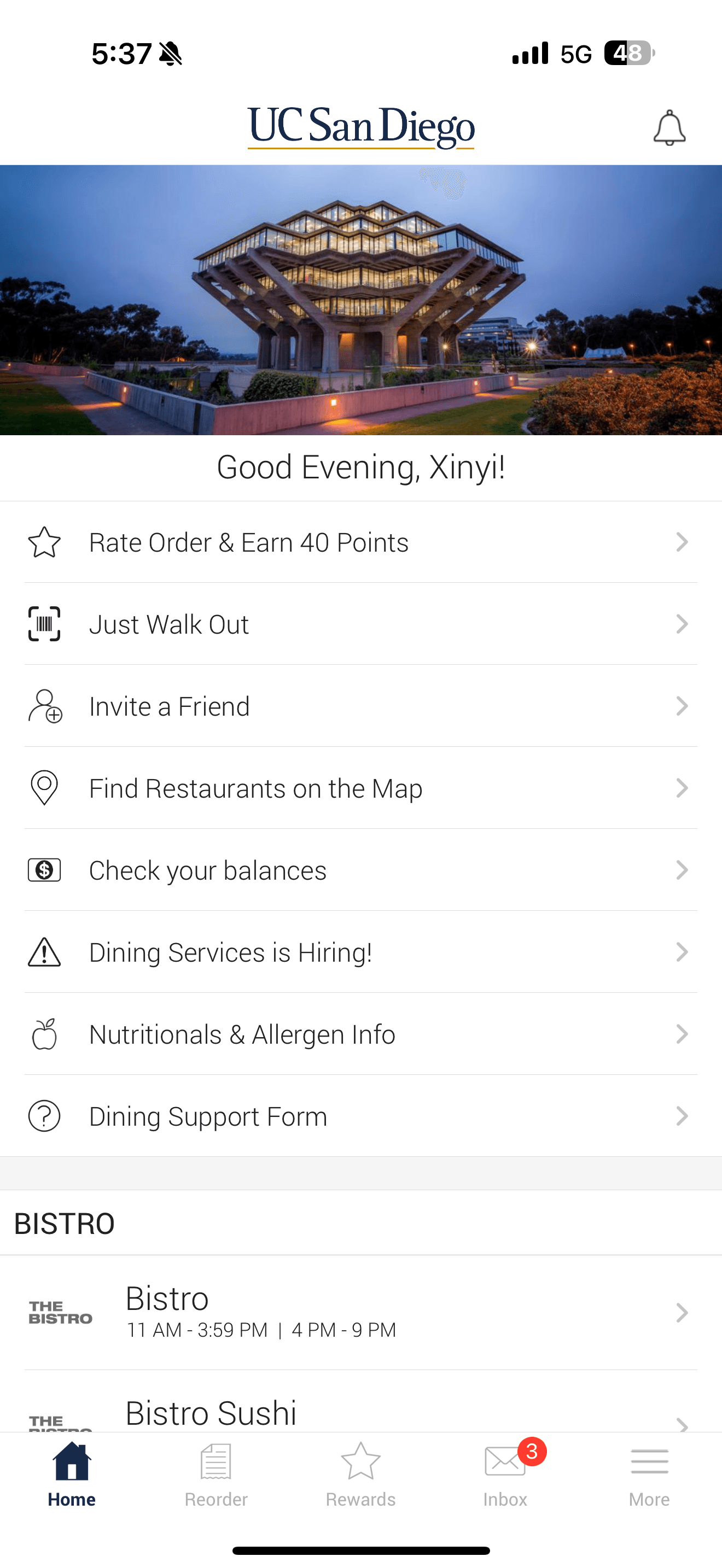
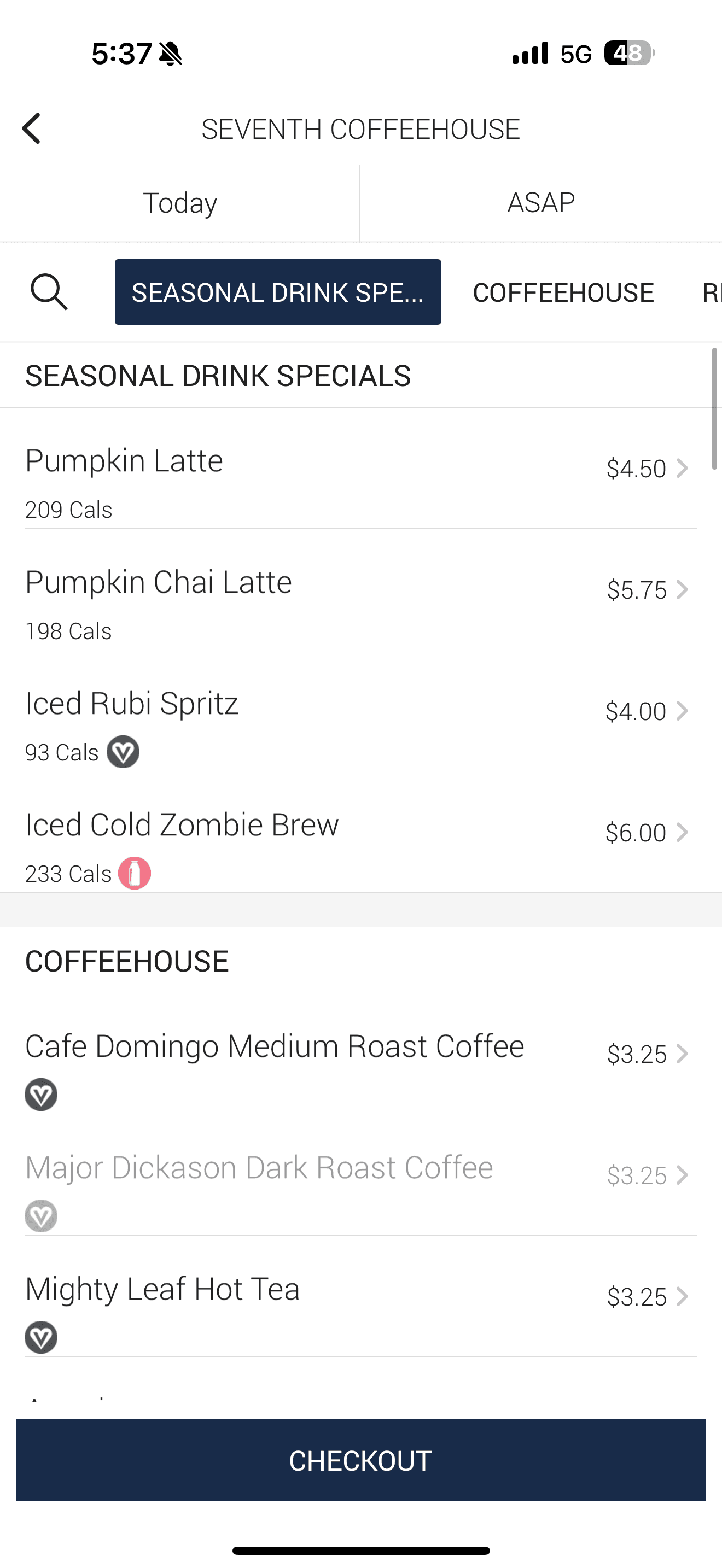
Have you ever used Triton2Go App? Triton2Go is UC San Diego’s official food-ordering app that allows students and staff to order meals ahead for pickup across campus dining locations. The app was designed to streamline the on-campus dining process and reduce wait times, but users often encounter usability challenges—especially during checkout. Our redesign focuses on improving the checkout experience to make ordering faster, clearer, and more intuitive for UCSD’s campus community.


Research
Problem Statement
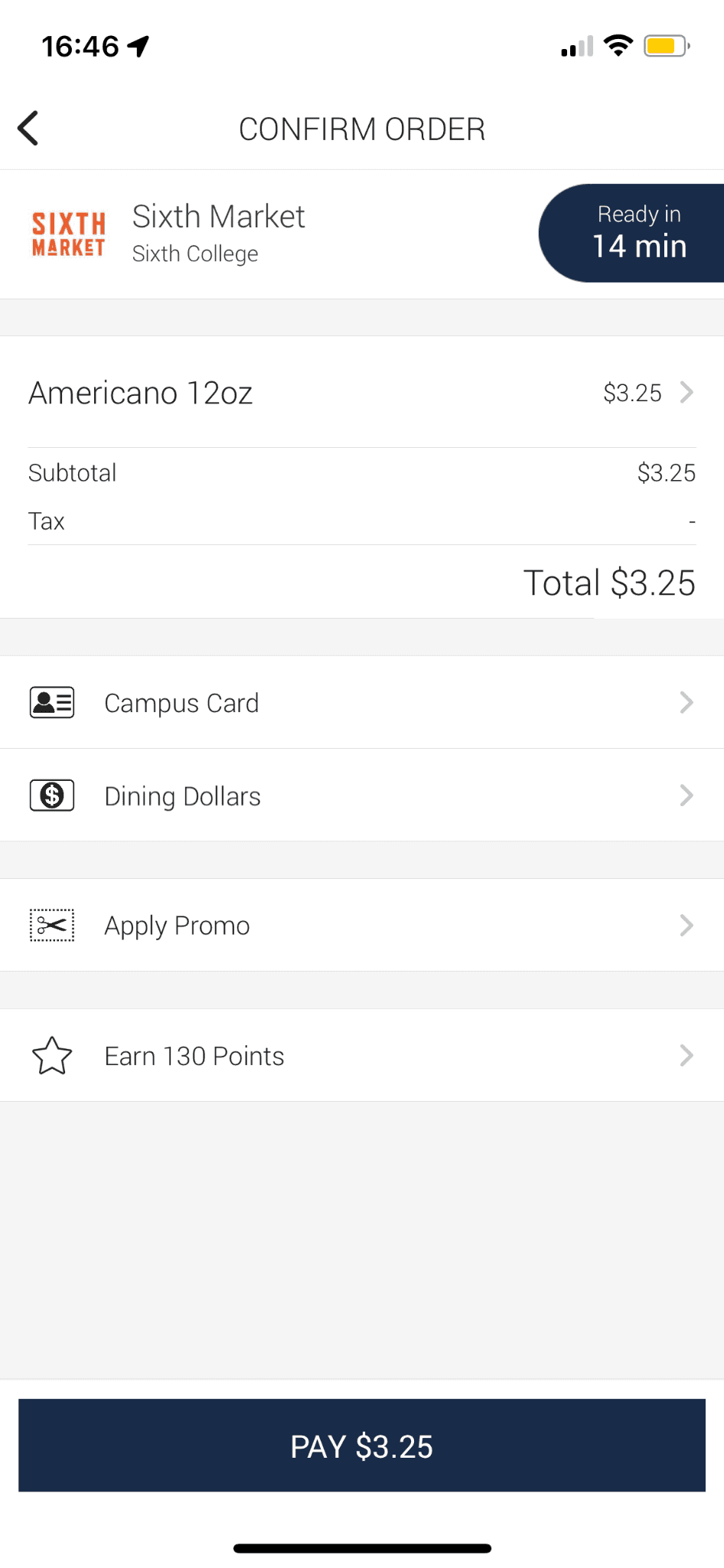
Where the Checkout Experience Falls Short
Despite Triton2Go’s goal to simplify on-campus dining, students still face friction when completing their orders. Our research identified three key usability issues causing confusion, inefficiency, and delays.
Lack of Quantity Feature
Users can’t directly modify item quantities in checkout, leading to repeated back-and-forth and longer edit times.
Unintuitive Payment Method
Payment options look alike, and balances (Triton Cash, Dining Dollars) aren’t shown — causing frequent wrong selections.
Inaccurate Waiting Time
The displayed pickup estimate often mismatches actual prep time, creating frustration and uncertainty.
Improve Overall User Experience
Addressing these issues creates a smoother, more intuitive checkout flow, enhancing user satisfaction and encouraging repeat usage.
Increase User Retention
A better experience keeps both on- and off-campus students engaged, making Triton2Go part of their daily routine
Research
Data Gathering
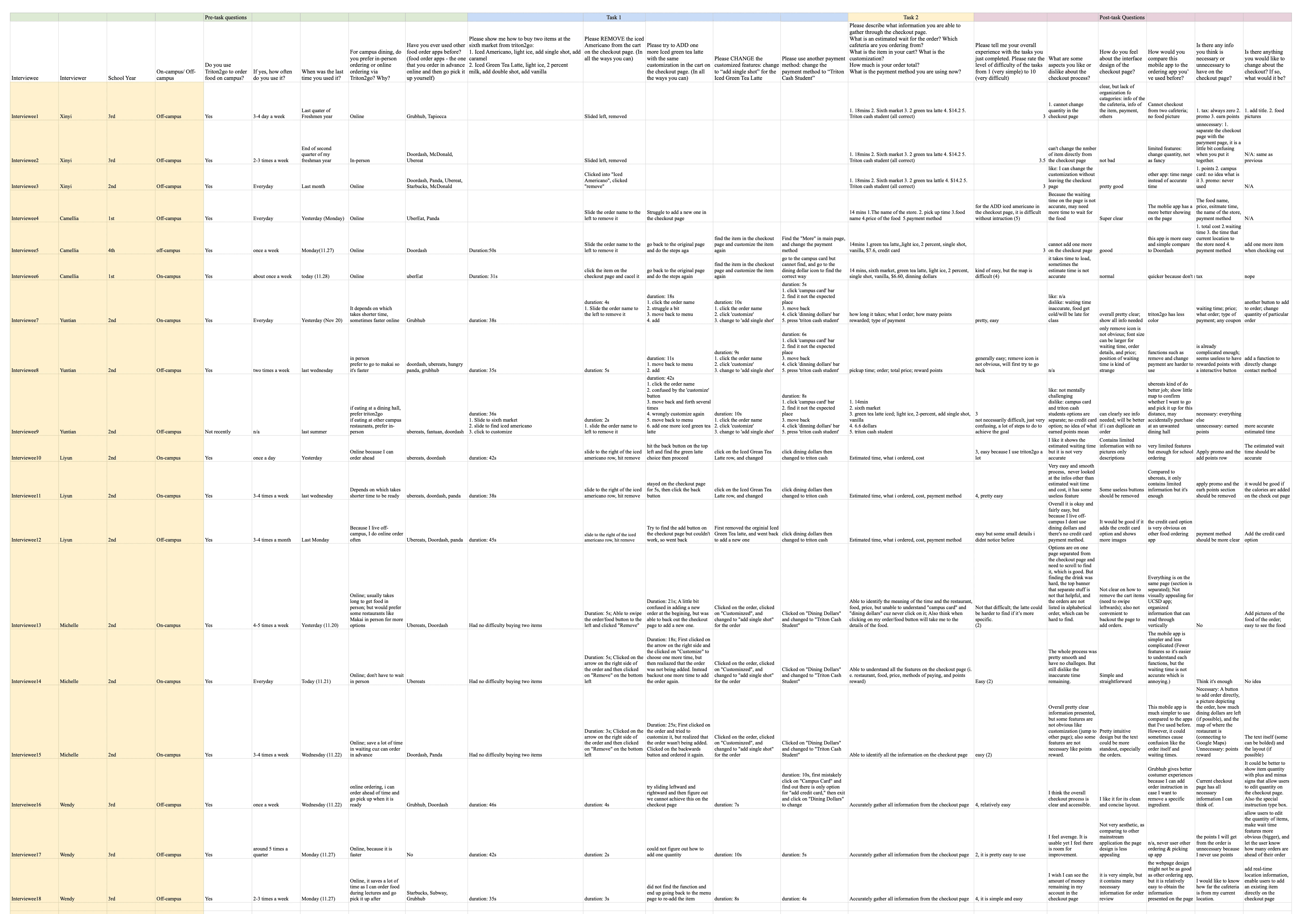
To identify usability challenges in Triton2Go’s checkout process, we conducted 18 contextual interviews following the Master–Apprentice model. This approach allowed participants to perform real ordering tasks while explaining their thought process, helping us capture authentic user pain points.
Research
Interview Flow
Step 1 — Demographics
Understand user context (on/off campus, school year, dining habits)
Step 2 — Task-Based Questions
Participants completed timed tasks:
Add/remove/customize items
Change payment method
Describe checkout info
Step 3 — Post-Task Reflection
Gather feedback on usability, likes/dislikes, and comparisons to other food apps.
This structured interview flow helped us collect both behavioral observations and user perceptions, laying the foundation for our next phase — Data Analysis.
Research
Data Analysis
From 18 contextual interviews, we synthesized task results and observed common breakdowns in the checkout process. These patterns reveal the most frequent points of confusion and inefficiency across Triton2Go’s ordering flow. These problems highly align with our initial guess.
14 / 18 participants (78%) struggled to modify quantities from checkout.
6 / 18 (33%) mistapped due to look-alike payment bars.
2 / 18 (11%) had trouble finding where to remove items from checkout. |
2 / 18 (11%) states there is no explanation for earned points

6 / 18 (33%) said the shown time didn’t match the actual pickup duration.
5 / 18 (28%) found headers and layout unbalanced, making information hard to scan.
2 / 18 (11%) says no navigation to their selected pickup location.
The data made one thing clear—users wanted control, clarity, and confidence while checking out. Our redesign focuses on delivering these qualities by making the interface more intuitive, visually clear, and feature-complete. These goals shaped the trade-offs we explored next in our design space.
Ideation
Trade-off
Before defining our redesign solutions, we analyzed similar food-ordering apps — such as DoorDash and Grubhub — to understand how they handle checkout interactions. Comparing these interfaces helped us evaluate feature richness, intuitiveness, and information density, and establish where Triton2Go falls short.
These observations informed two key trade-offs that shaped our redesign:
Feature Richness
vs.
Intuitiveness
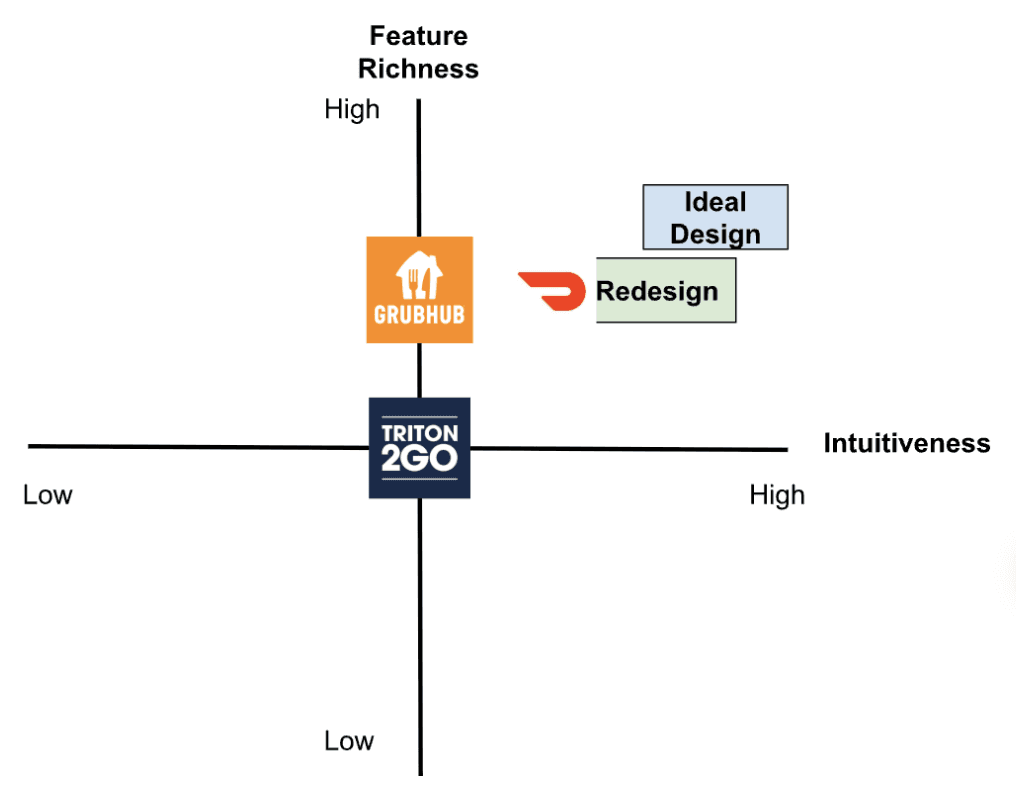
The redesigned checkout balances added functionality with strong discoverability, ensuring new features feel intuitive rather than overwhelming
The redesign improves visual hierarchy and segmentation—making the page easier to scan—while preserving enough detail for informed decision-making.
Readability
vs.
Information Density
design
Redesign Solution
• Enhance intuitiveness – Introduce clear affordances and reduce interaction ambiguity.
• Increase readability – Establish typographic hierarchy and visual segmentation.
• Expand essential functionality – Enable in-place quantity editing, transparent payment options, and accurate wait-time feedback.
design
Low-Fidelity
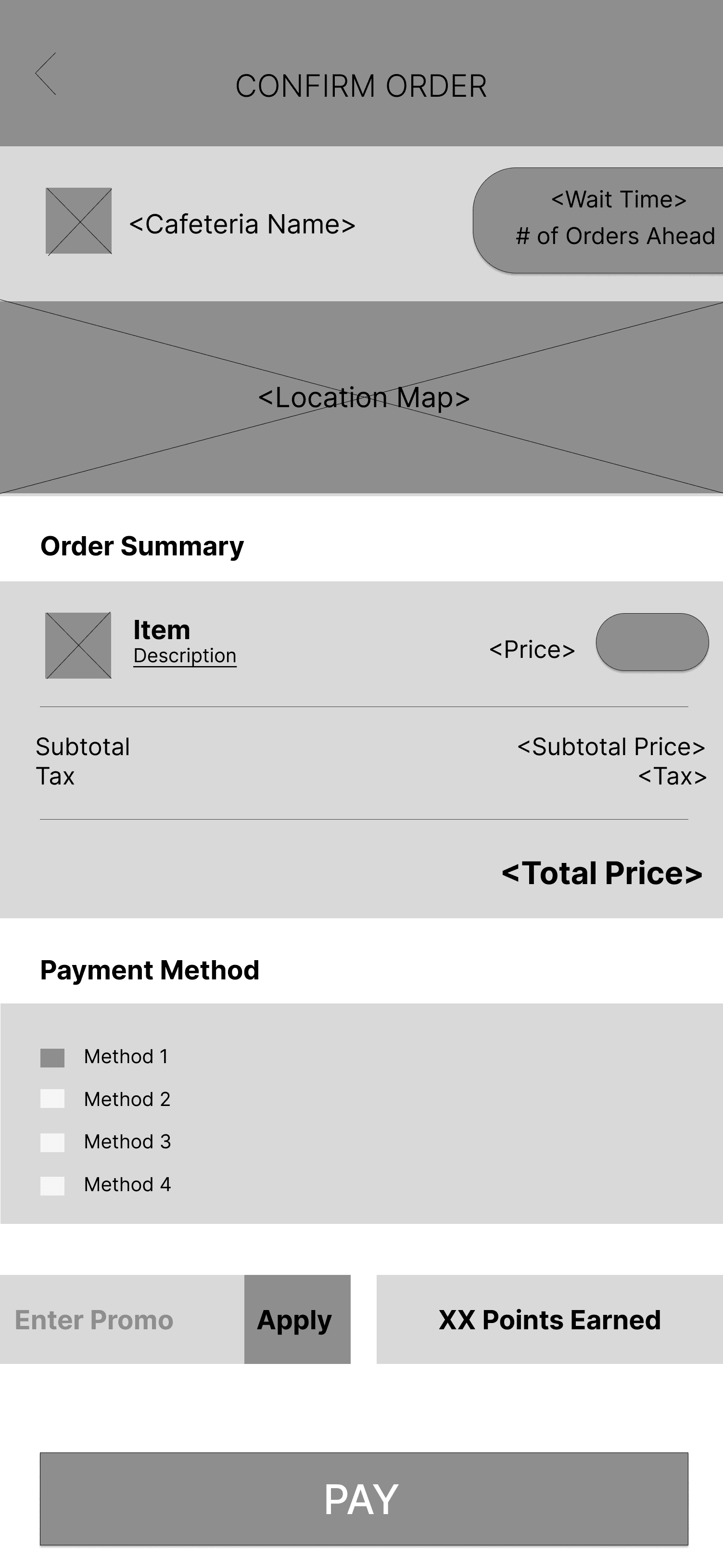
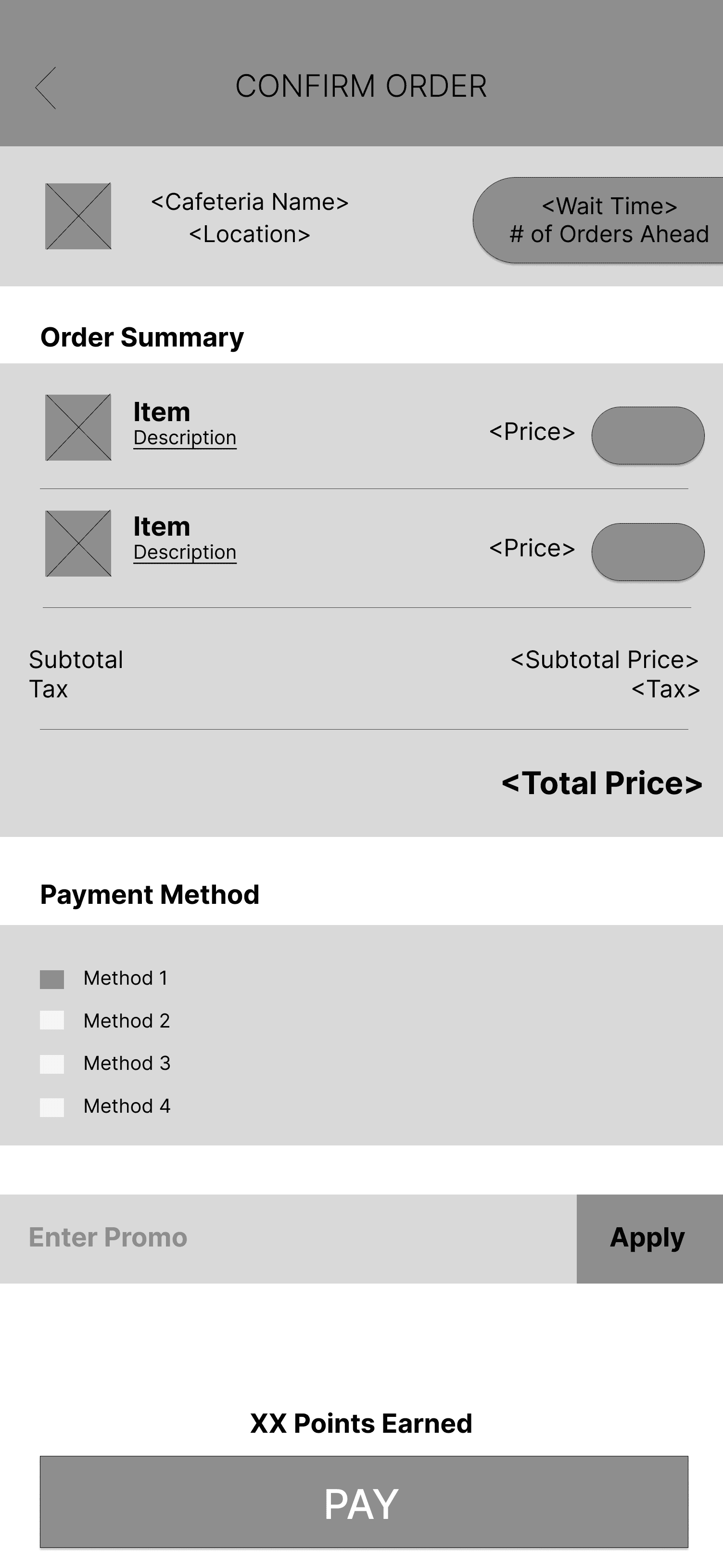
We began with low-fidelity wireframes to define hierarchy and interaction flow without visual distraction. This stage allowed us to prioritize layout clarity and placement of key features such as quantity controls, payment visibility, and wait-time feedback.
design
High-Fidelity
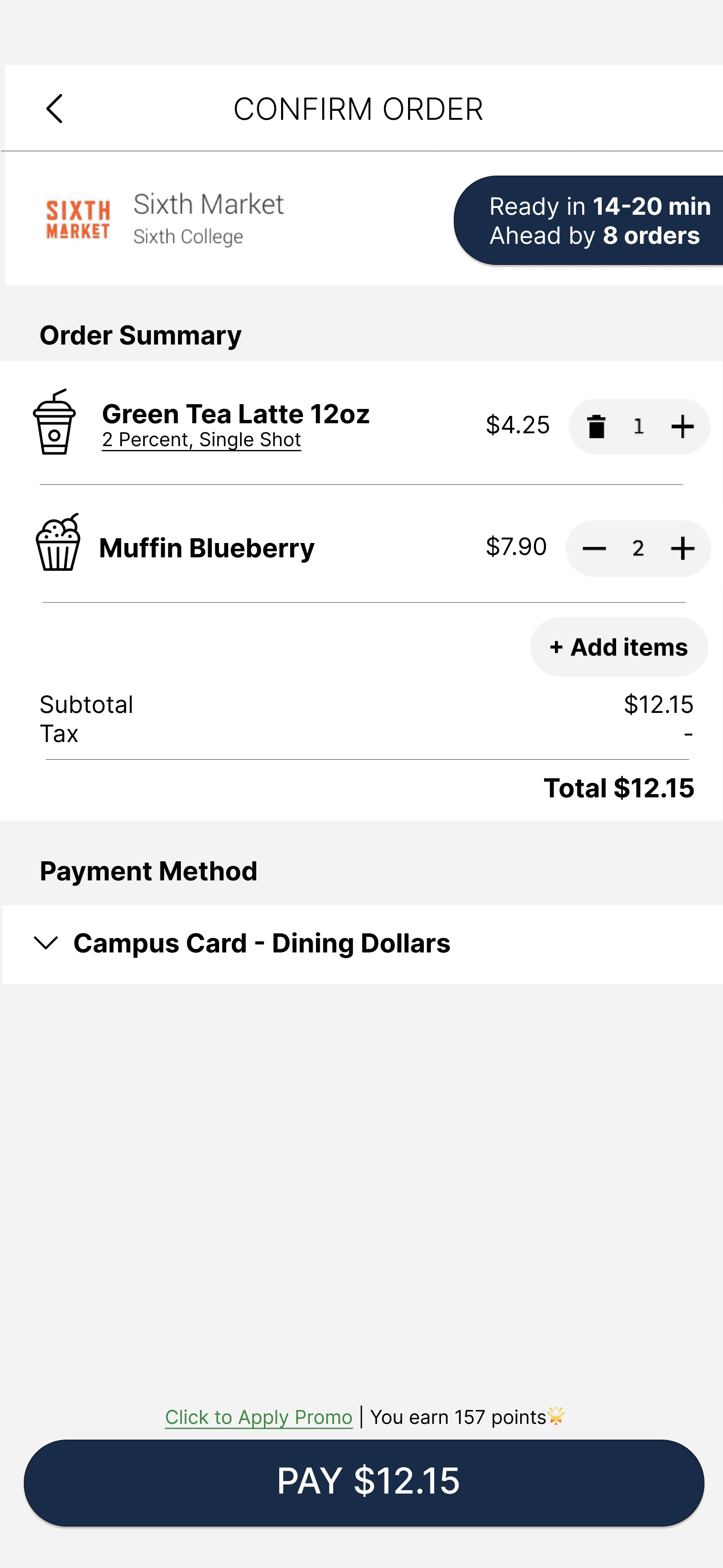
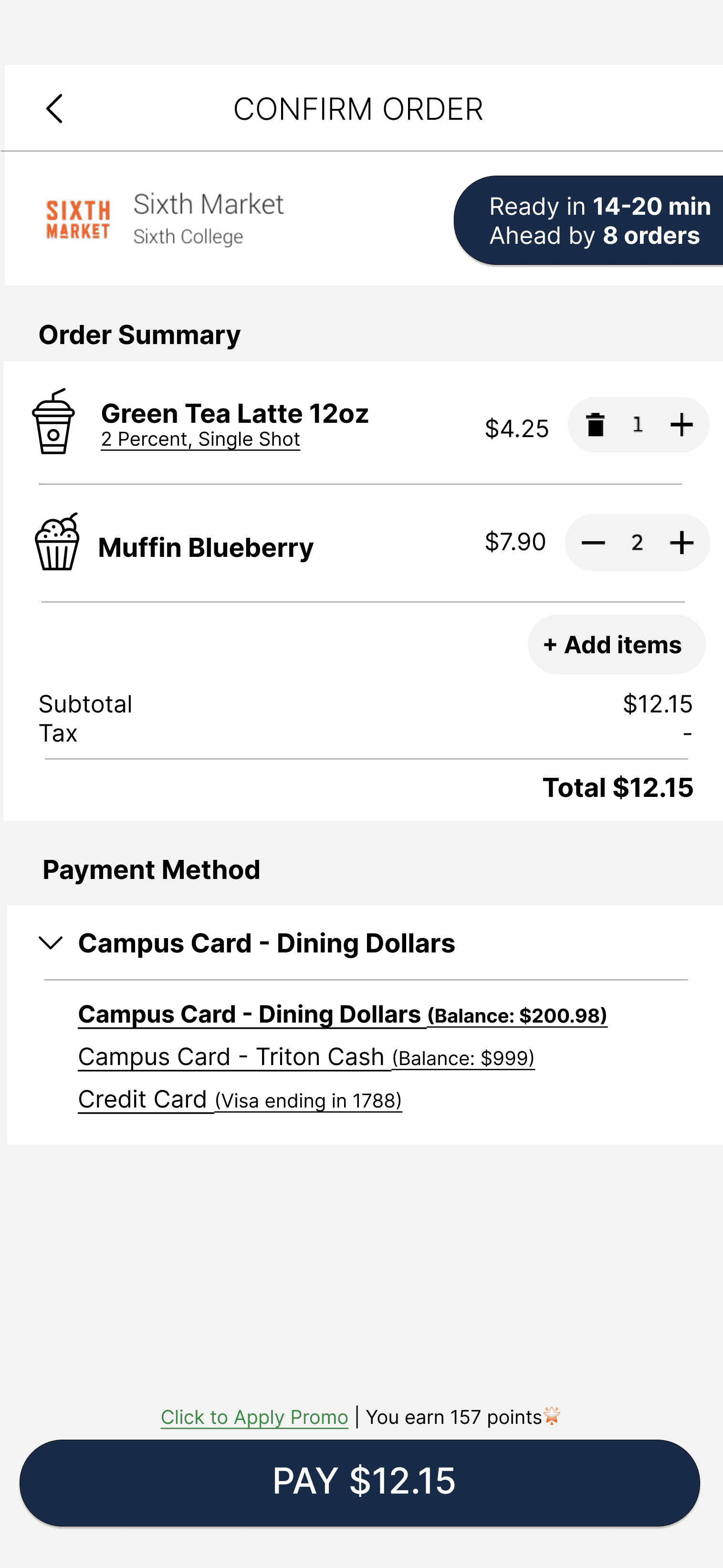
The final redesign integrates visual hierarchy, intuitive interaction, and transparent feedback mechanisms identified from our research and trade-off analysis.
Below, we highlight how each interface element was refined to enhance usability and consistency.
Design
Redesign Justification
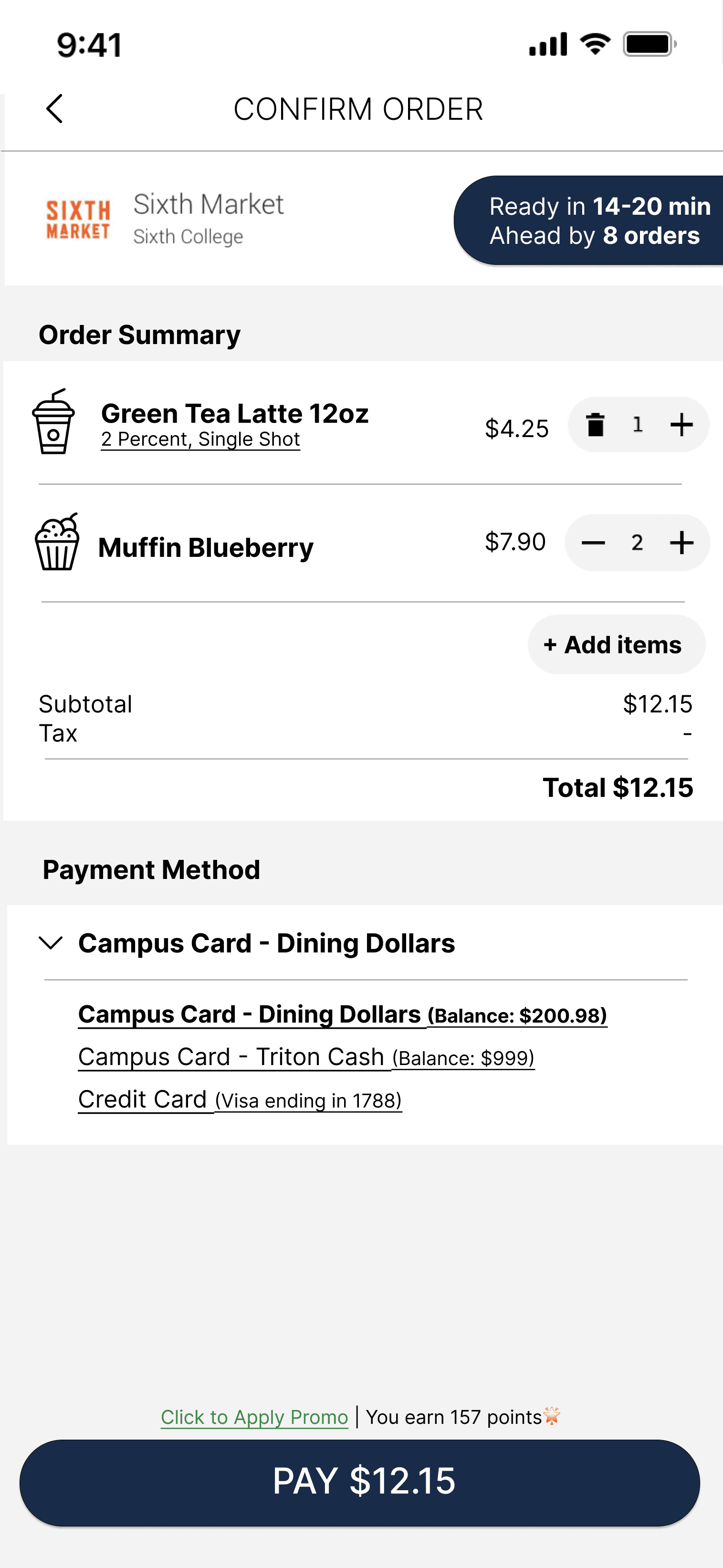
Improved Waiting Time Estimation Bar
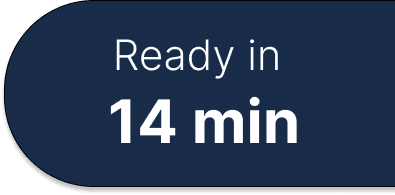
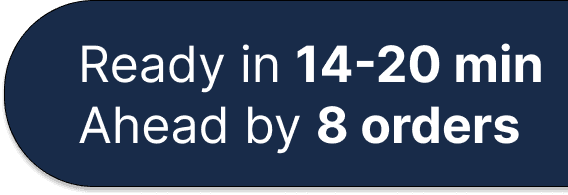
The wait time bar do not serve as an effective feedback to notify accurate order status to users. Inconsistencies between expected and actual waiting times could lead to user dissatisfaction and frustration.
By incorporating the information of order amount ahead, users can plan their pickup time more effectively, reducing frustration associated with inaccurate waiting time estimates.
item Icons & Customization Adjustment
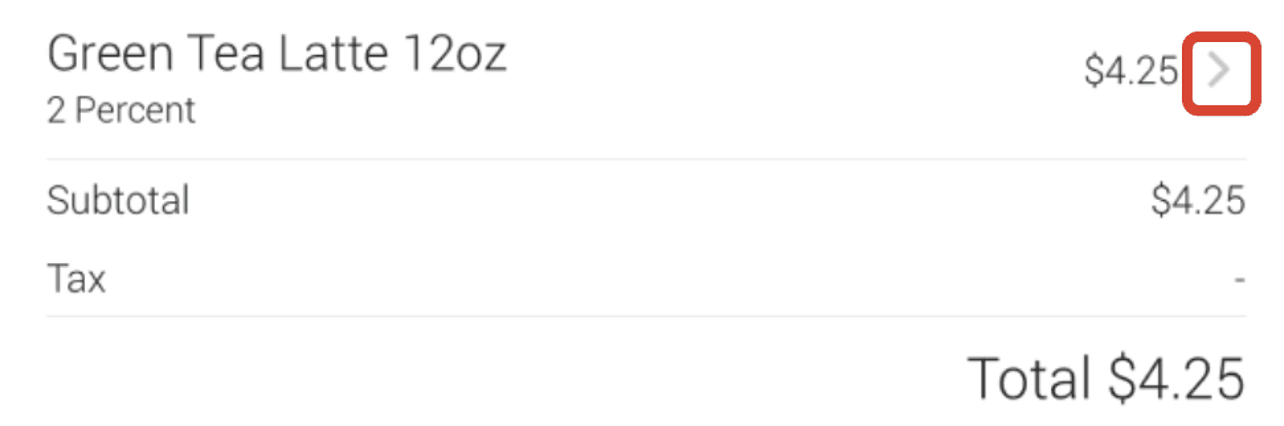
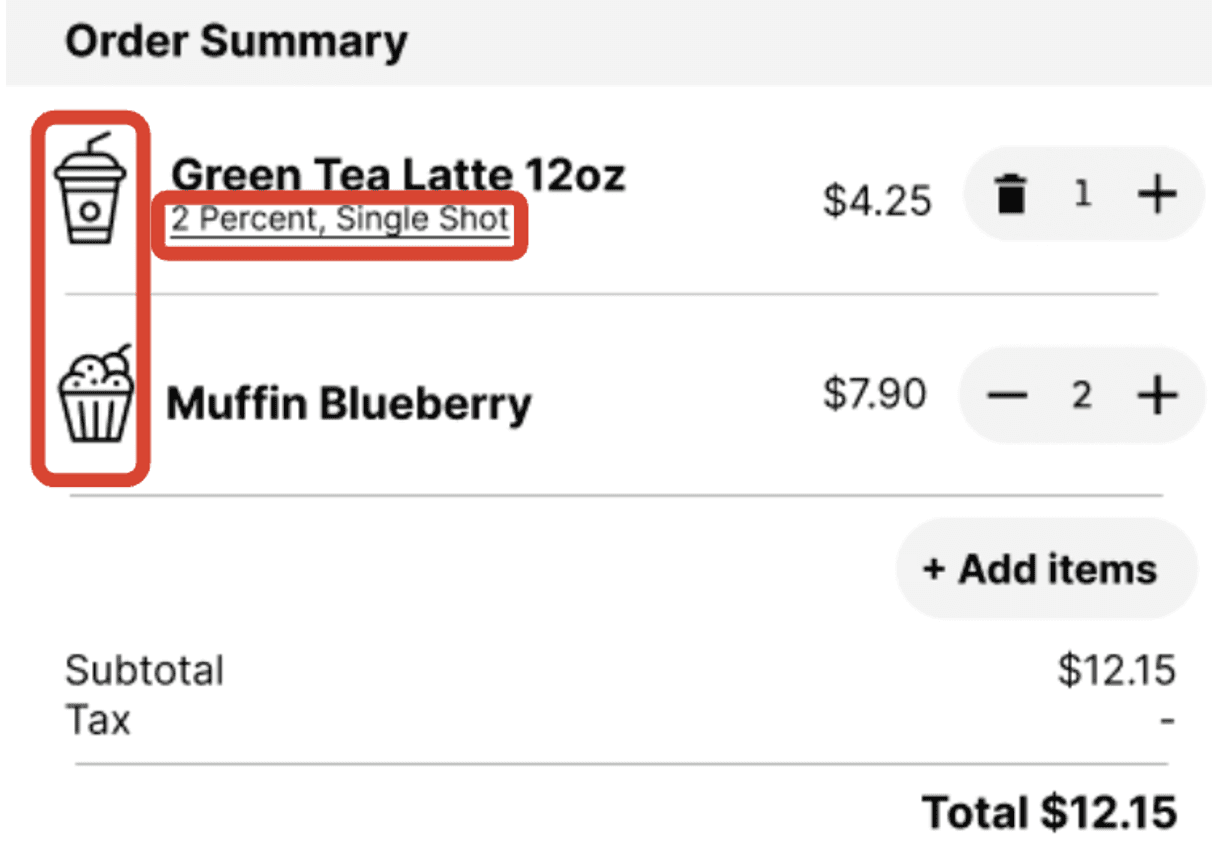
Food icons can signify the type of item in the cart and reduce users’ cognitive load to identify and check what they intend to order.
we use bold and bigger font for item name and underline the description for customization to inform users with a more explicit affordance of clicking for editing.
Quantity Adjustment Buttons

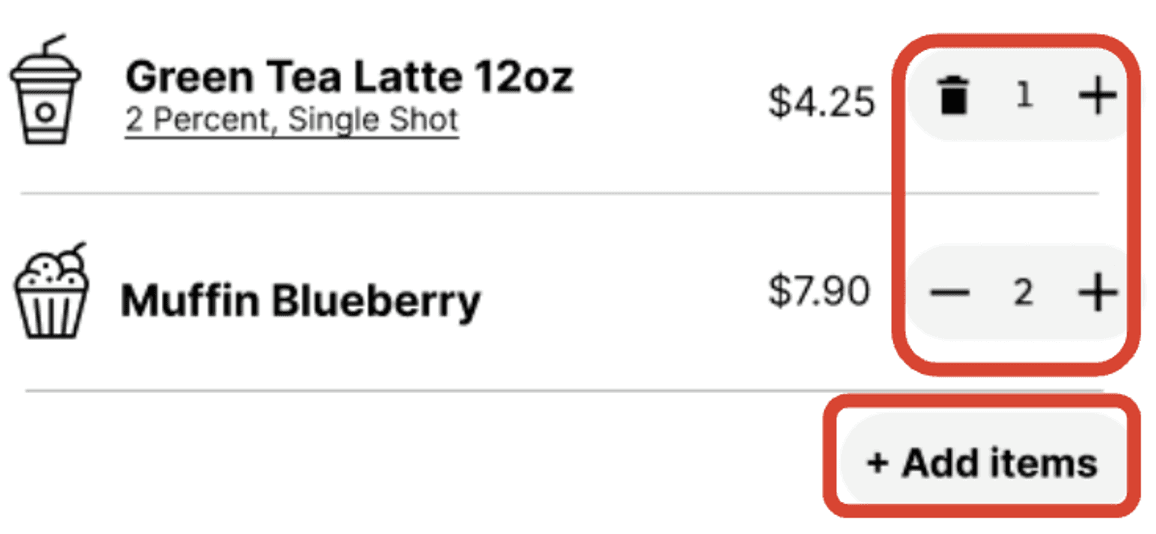
The feature of the item adjustment button includes clear visual cues as signifiers demonstrating quantity modifying, the knowledge for item adjustment rules is placed in the world, helping avoid the above-mentioned rule-based mistakes.
Payment Method Changing Function
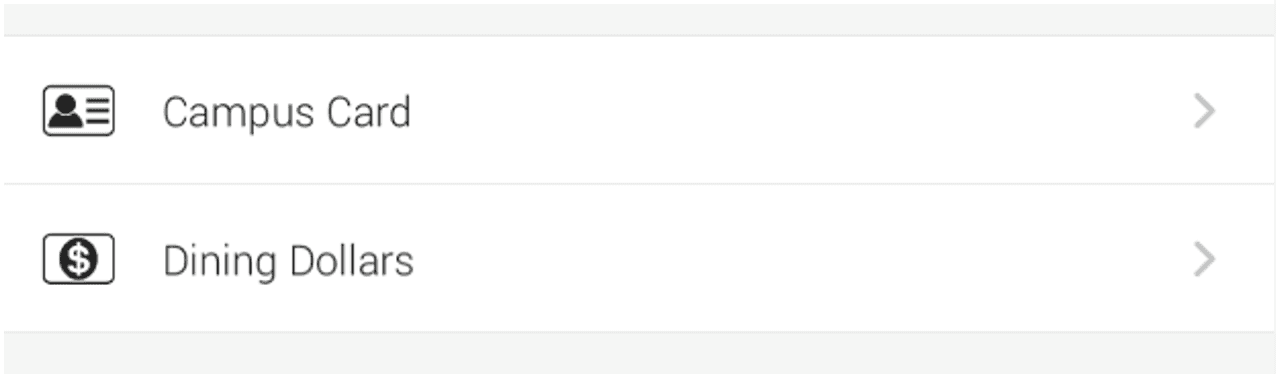
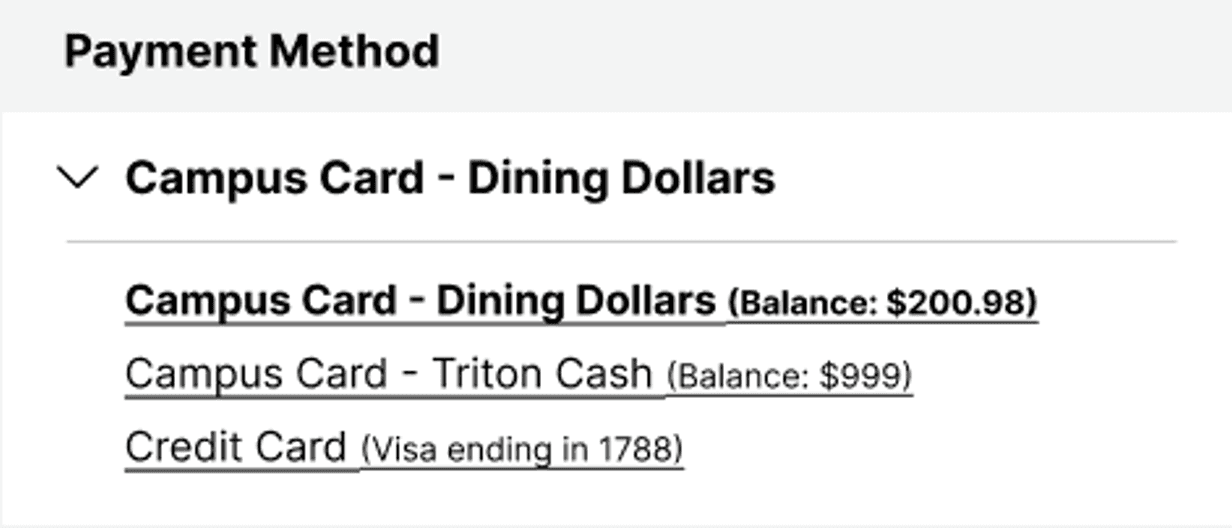
Users may select payment methods with quick and easy references to their account balances. Compared to the original design, the redesign has an increased discoverability of the account status.
Minimized Promo & Points Features
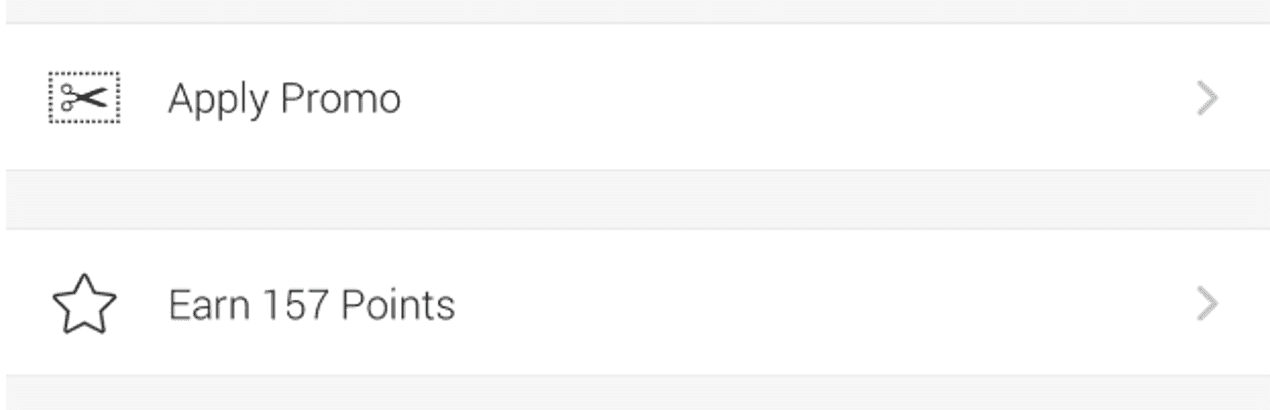
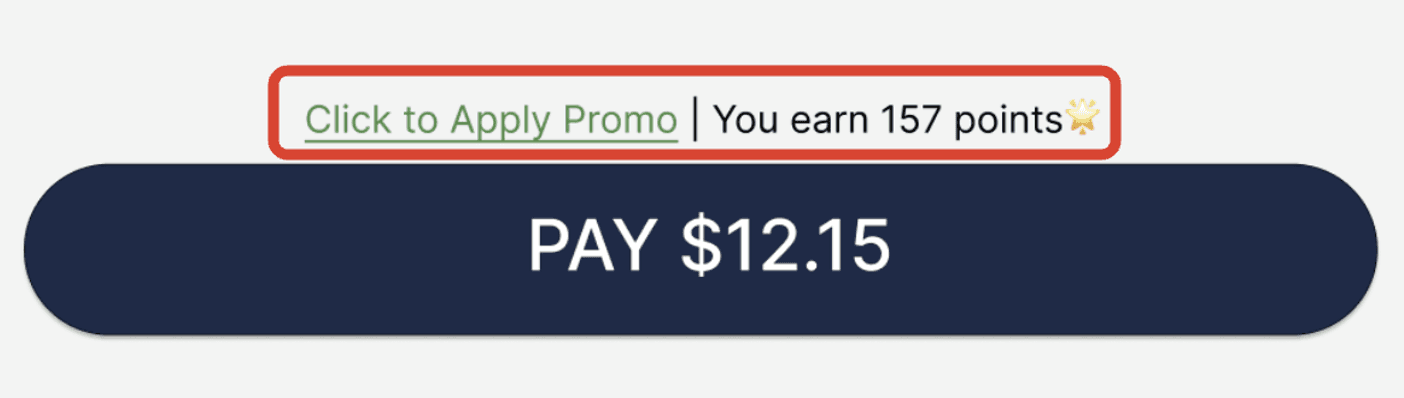
We underline and color the promo applying feature in green to reveal its affordance for users to click and expand the functionality. The modification ensures that users can easily access these options if needed, without them overshadowing the core functionalities of the checkout process.
evaluation
reflection
Through iterative testing and redesign, we addressed three major usability issues in Triton2Go’s checkout flow: unclear payment methods, inaccurate wait-time feedback, and limited quantity modification. Guided by user feedback and trade-off analysis, we balanced feature richness, intuitiveness, and readability to create a smoother ordering experience.
By following the Double Diamond design process, we refined our prototypes through user audits and continuous evaluation, removing unnecessary visuals and clarifying key signifiers for better interaction clarity.
Looking ahead, our next steps include larger-scale usability testing with UCSD students and potential collaboration with the UCSD Dining team for real-world implementation of the redesigned checkout page.